Available on iOS
Your workday,
one page at a time.
Vale Notes is a notebook-style task app for iPhone and iPad. Plan your day, track what's in progress, and defer what can wait — one clean page per day, nothing more.

Features
Everything you need. Nothing you don't.
Vale Notes keeps your daily list clean and auditable — like the Field Notes notebook it's modeled on.
One page per day
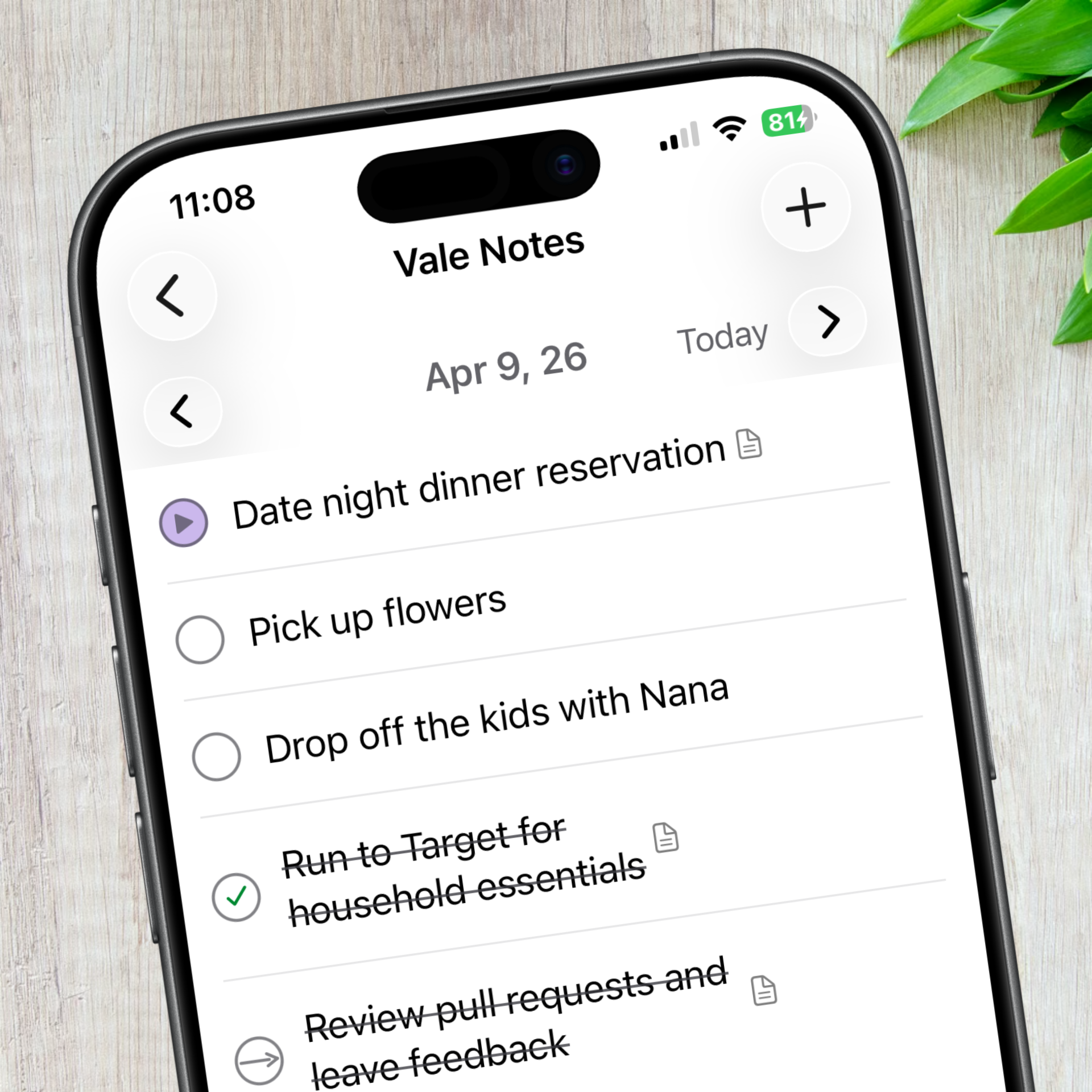
Each day is a single page: date at the top, tasks below. Navigate forward to plan, back to review. Your history stays intact.
Three priorities, enforced
Mark up to 3 tasks as high priority — a slot only opens when you complete, defer, or cancel one. Stay focused by design.
Defer without losing context
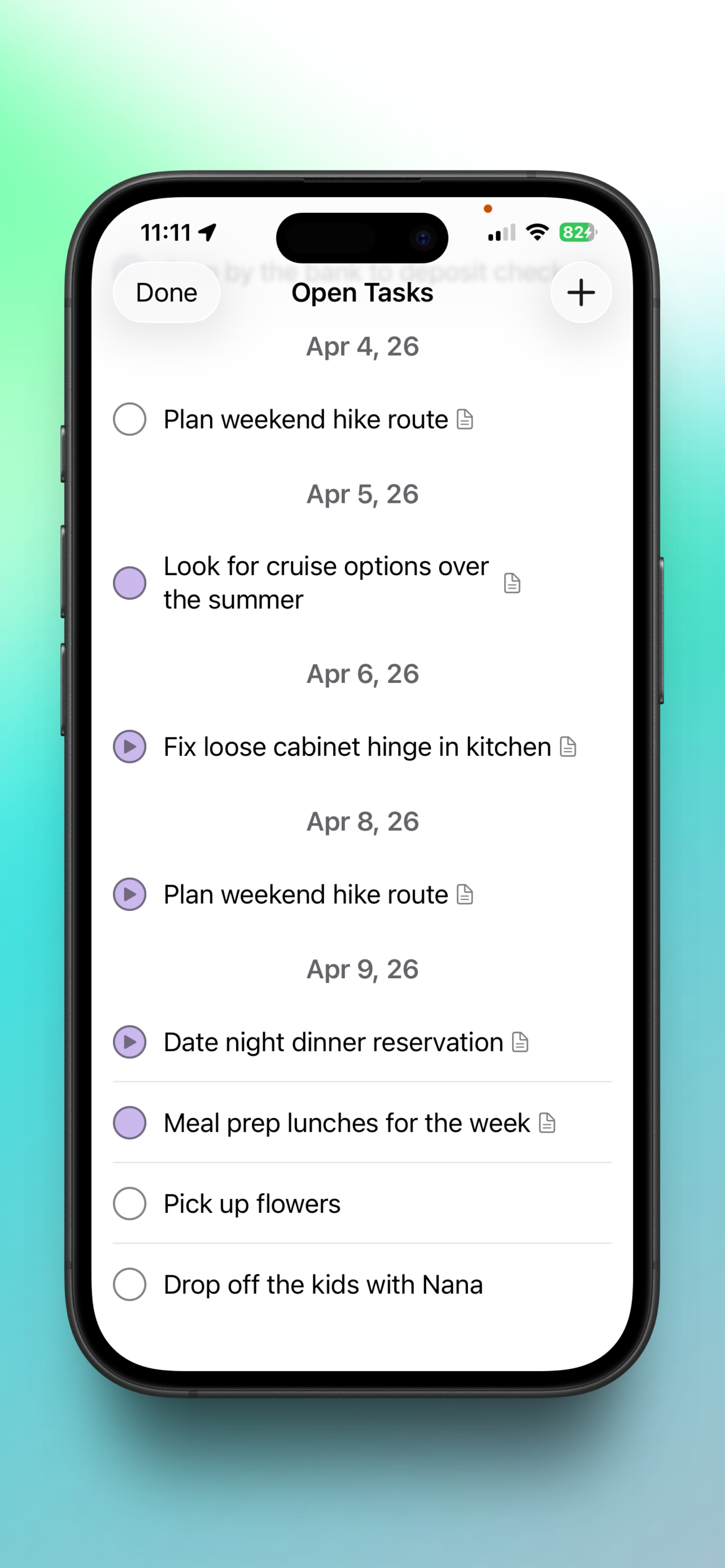
Push a task to tomorrow with one tap. Notes, subtasks, and attachments carry over automatically so nothing falls through the cracks.
Home screen widget
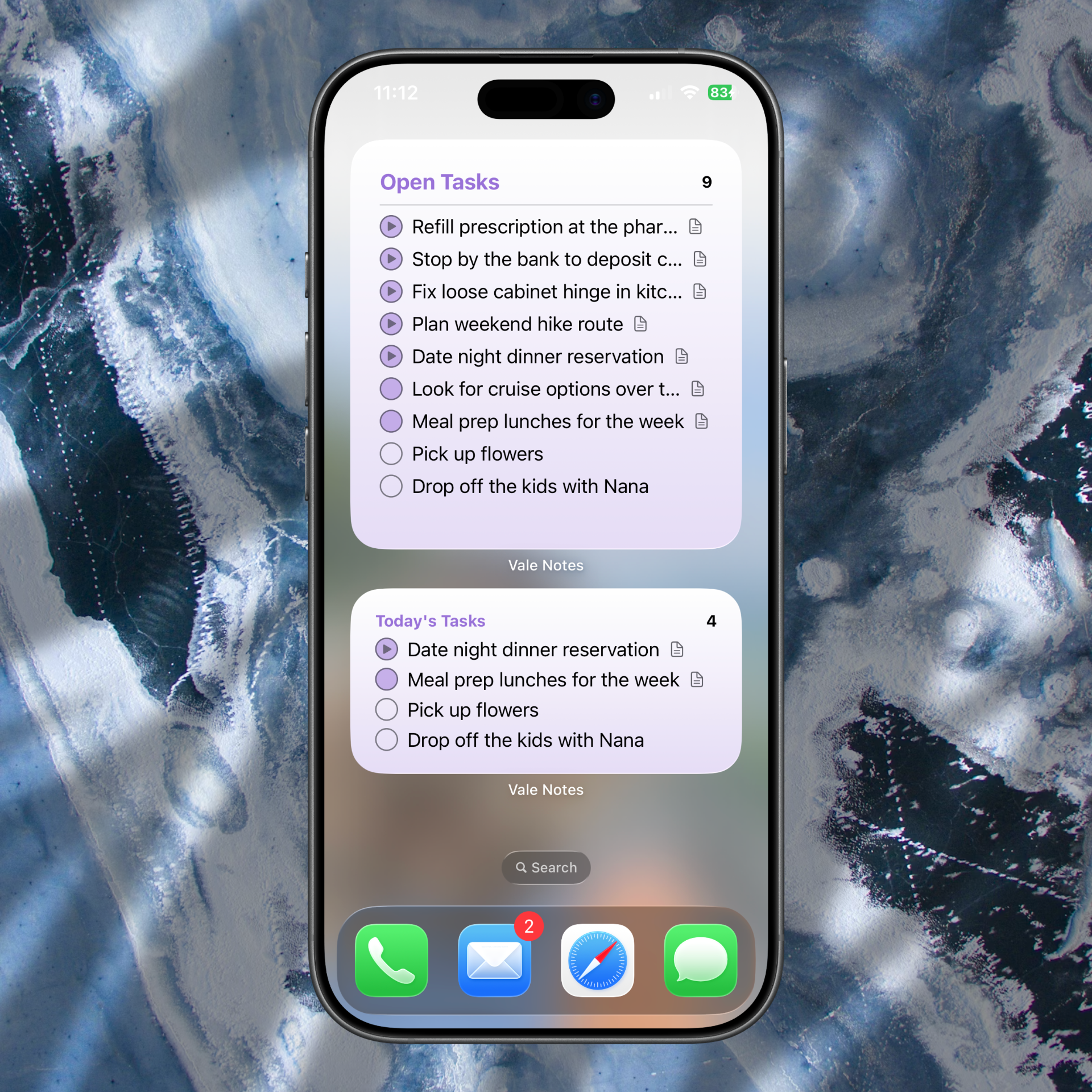
See today's up to 3 high-priority tasks at a glance — without opening the app. Tap the widget to jump straight to today's page.
Depth when you need it
Task states at a glance
Each task has a left-column indicator: an empty circle for not started, a diagonal stroke for in progress, a checkmark for complete, an arrow for deferred, and an X for cancelled.
Notes, attachments, and subtasks
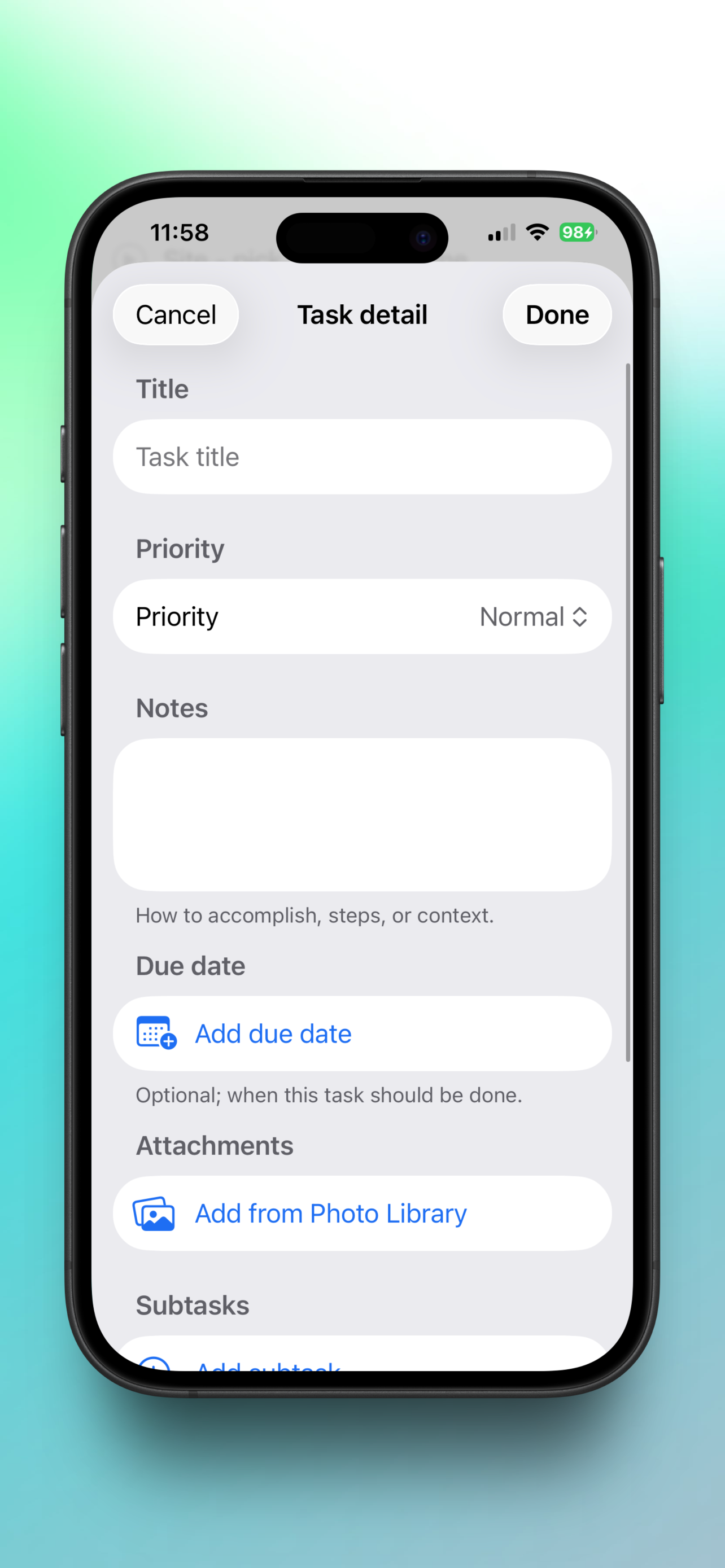
Tap a task's title to open a detail sheet. Add notes on how to approach it, attach photos or documents, and break it into subtasks — without cluttering the main list.
Clean by default
The main list stays one line per task. A subtle indicator appears on rows that have detail content, so you always know when there's more underneath.
Always in sync, always private
iCloud sync
Your notes sync automatically across all your devices via iCloud. Start your morning on iPhone, pick up on iPad — everything is right where you left it.
Private by design
Vale Notes has no accounts, no analytics, and no servers. Your data lives on your device and in your private iCloud — we never see it.
Home screen widget
Add the Vale Notes widget to see today's top priorities without unlocking your phone. Available in multiple sizes.
Common questions
How do I defer a task to tomorrow?
Tap the circle indicator on the task and choose Defer. It's marked with an arrow on today's list and appears automatically on tomorrow's list — with its notes and subtasks intact.
Why can't I set a 4th task to high priority?
Vale Notes limits high priority to 3 active tasks at a time. Complete, defer, or cancel one of your current high-priority tasks to free a slot.
Where is my data stored?
On your device and in your private iCloud account. Vale Notes has no servers and no access to your data.
Does it work on iPad?
Yes. Vale Notes runs on iPhone and iPad, and syncs between them via iCloud.
Download Vale Notes
One page per day. Clear priorities. Nothing in your way.